One Year Unlimited Tokens for Xhorse VVDI MB BGA Tool and VVDI Key Tool Plus Online Password Calculation
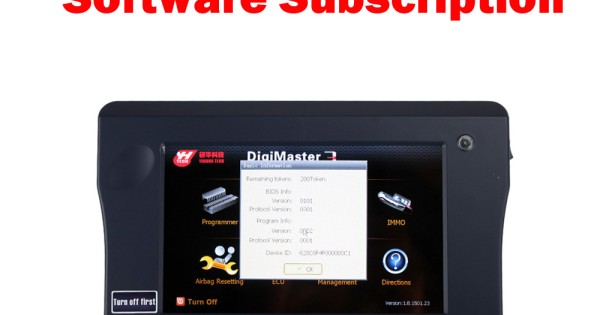
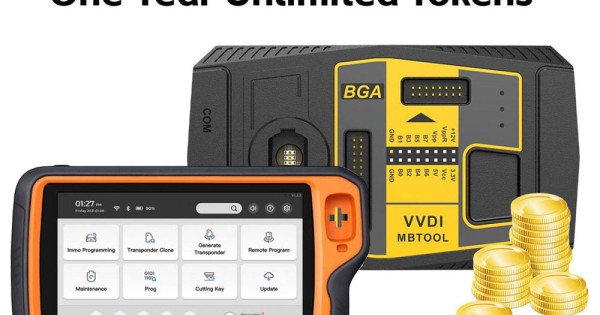
Unlimited Tokens for Xhorse VVDI MB BGA Tool and VVDI Key Tool Plus, Supports One Year.Activation can be done within few hours.Description:One year duration.Yearly Subscription Activation Free Token.This is a digital product, no shipping is needed. We just need the serial number for the VVDI MB BGA or VVDI Key Tool Plus device, and we can add the tokens online.*If your one year unlimited tokens is not expire, you can still buy tokens again. It will start from the time when it expires.As many tokens as you can use everyday day ! No limitation!The unlimited token is for VVDI MB and VVDI Key Tool Plus.VVDI MB TokensPassword calculation can get key password through EIS and working key (online)CAN protocol EIS all support password calculationSupport BGA keys and other NEC keysSupport calculate password for NEC v51, v57 keys. No soldering, safe method.Data acquisition time depends on the key version. It needs about 3.5 - 13 minutesBGA version need about 5 minutes, some versions only need 3.5 minutesCalculate time in server: 30 seconds – 1 minute How to Check the MB BGA tokens?If you have condor mini/dolphin key cutting machine, after you bind condor with VVDI MB Tool,it will display free token.If you purchase the tokens,after we inform tokens are OK, you can see payed tokens times. Support:The application list below is for models that require a token to read the password:W164W166W197W212W218W246W169W209W211W172W204W207W216W221W639 2009-Functions:Mode: OBD and IR adaptor, mode use for communicate with EISChassis: Select chassis number, you can detect it with auto detect in EIS ToolsData Acquisition: Press“Data Acquisition”, it will continue with following steps automaticallyInsert working key to ignition, waiting 15 secondsInsert working key to device IR reader, verify key and carData acquisitionInsert working key to ignition, waiting 30 secondsInsert working key to device IR reader, wait end...Save acquisition dataUpload Data: Upload saved acquisition data to server for calculate password.Attention:Once success calculate password for one SSID, the server will not accept calculate the acquisition data with same SSID in 2 hours. After 2 hours, acquisition data with same SSID upload to server will start with a new taskQuery result: Query server calculation result. The password will fill in key password area automatically after success calculation. Use “Copy” copy password to clipboardAuto reflash: Program will auto re-flash server result until there’s no task for this device.You can start data acquisition once more while auto reflash startingStop acquisite after success: If you are run data acquisition while auto reflash running,program will stop the acquisition progress when find correct passwordAbout query result status:Query result support query calculation result in 24 hours, others don't support Query result will display Time, SSID, Status, Filename (name when upload to server) Status has the following types:Queuing: number x, require about y minutes, means your task need y minutesProcessing: requires 1 minutes, means your task need 1 minute to finishPassword: xxxxxxxxxxxxxxxx (Free), means success find password, "Free" show this task is calculated for free or this task already success calculated beforeDiscard: Once you success calculate the password, in 2 hours, the upload acquisition data with same SSID will discardAlready upload: means the server already have this file in queuingPay for password calculation before upload: means your device doesn't have authorize for calculation. Contact your dealer and pay for password calculationFailed: means this task failed to get password, you can run data acquisition again.Failed task is always free